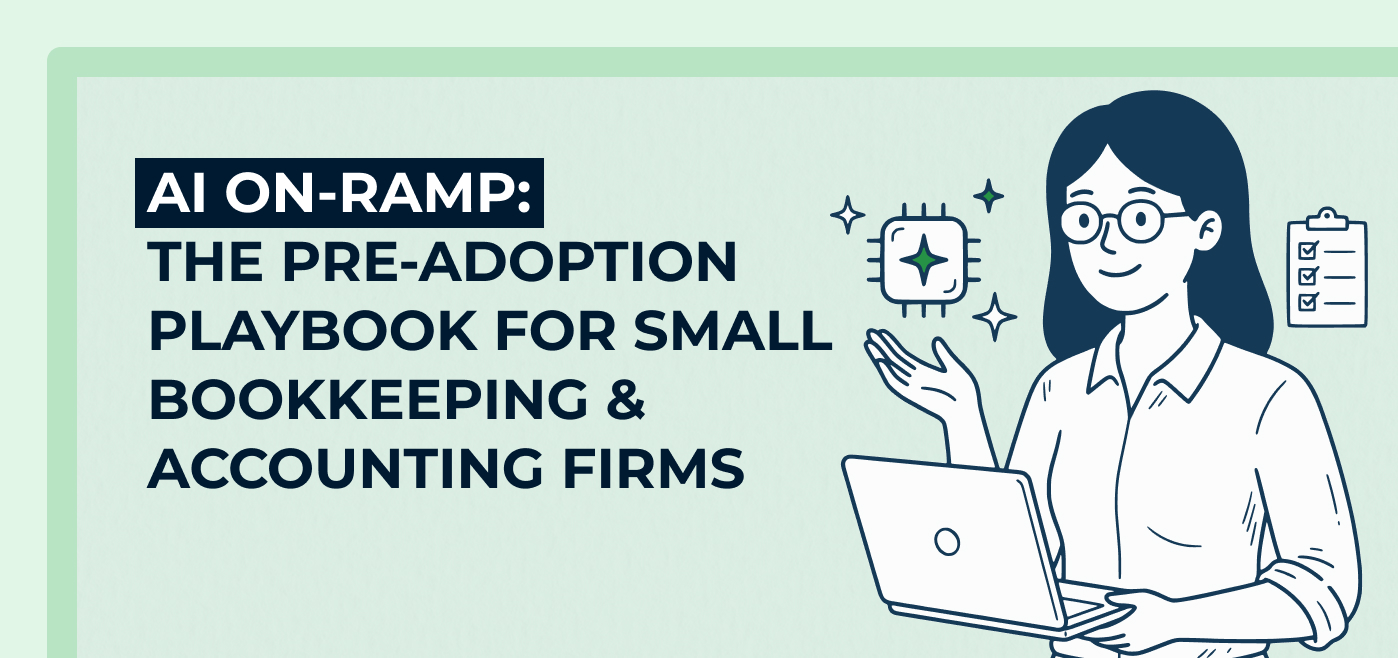
Before your firm adopts AI, get five foundations in place: security rules, clean data, low-stakes first tests, better prompts, and documented firm voice and processes. Practitioners from LiveCA, VP CPAs, Accounting Therapy, Juna Financial Solutions and Grow Group Global share how they did it. Part of Two Cents Magazine Issue 02: Artificial Intelligence.
AI has been sold as a way to get your hours back. So it’s surprising that when the Financial Cents survey asked 486 accounting and bookkeeping professionals what stands in their way of getting more value from AI, the top answer, by a wide margin, was time.
Forty-one percent said they didn’t have enough time to learn and implement the technology. Trust and accuracy came next at 21%. Cost (6%) and unclear ROI (2%) barely factored in.
Chad Davis, co-founder of LiveCA and founder of AutomationTown, thinks the trouble starts with how firms think about those hours. Picture a new hire who starts work on Monday and still isn’t helping with client work by Wednesday. You wouldn’t be angry.
 Chad Davis
The mistake is spending that investment badly. Davis has seen people put in ten hours of conversation with a chatbot, decide it was “completely useless,” and carry that verdict with them for good.
Jan Haugo knows how easy it is to feel buried when adopting AI. She spends more than 40 hours a week studying, teaching, and building with AI. It’s her job.
“I do this for a living,” she says. “And I’m overwhelmed.” She doesn’t expect that to change, and she calls the overwhelm “our new normal.”
Instead of trying to make the overwhelm disappear, aim for a plan you can move through one step at a time. This piece is that plan.
Step One: Lock Down Security and Client Data
Before anything else comes a question that has little to do with accounting prompts or tools: what are you willing to put into an AI, and where?
Haugo sets the order. “You need to know security,” she says. “You need to know how to proceed, especially with our documents and our clients’ documents. So you start with security.” Security is the first item in what she calls “phase zero,” which means deciding how you handle sensitive information.
Bri Como, manager of operations and systems at VP CPAs, says her firm set its rules early. AI is used through work-provided accounts only, never a personal one, and no sensitive information goes in “at all whatsoever.” That means “no bank accounts, no Social Security Numbers, no just uploading a document into it.” Part of her reasoning is about habit.
 Bri Como
At Accounting Therapy, Taylor Ammons’s team learned a similar lesson a little later. Until recently, some people on her team were on free AI accounts. Nobody was putting sensitive information into them, she says, but the firm hadn’t realized those accounts lacked the security standard they needed in the first place.
 Taylor Ammons
Jean Zick, CEO of Juna Financial Solutions, built the same thinking into the firm’s structure: a written information security program, an AI policy, and an applications committee that reviews and selects the tools the firm uses. This has helped the firm stick to applications that don’t train their models on its data.
 Taylor Ammons
Most of the profession hasn’t caught up, according to the Financial Cents report. Among firms actively using AI, only 13% have a formal documented AI policy, and 87% don’t. The firms that do are more likely to report positive results: 35% of firms with a formal policy report clear ROI, compared with 14% of firms with no policy and no plans to write one.
These measures are decisions more than projects: a written rule, a shortlist of approved tools, and paid accounts for work use. They’re also easiest to set before habits form.
Step Two: Get Your Data House in Order
This is a question of what the AI will actually work from. AI needs data and context. But if your firm’s information is scattered across many folders, buried in outdated spreadsheets, or duplicated across systems, giving AI access to it may just give the technology more places to get confused.
 Jan Haugo
Then there’s what she calls “data debt”: old documents sitting in folders no one has needed in years. “At some point, if it’s sitting in a file, somebody’s got to go through it,” she says. “Now that’s either you or the AI. But you don’t want the AI going back to the year 2000 if it only needs to go back to 2025.”
She recommends archiving what’s old so the AI works from what’s current.
Davis learned this lesson the hard way. In 2019, LiveCA hired a developer and put four or five employees on a project to pull the firm’s spreadsheet processes into a single app. They scrapped it. But the effort exposed a bigger problem: the firm couldn’t fully trust its own data.
Chad Davis
The solution wasn’t a better tool, but a centralized system. “One of the most important aspects that we were missing was centralized data that was the source of truth. Full stop.”
LiveCA spent years making that source of truth believable. Only then did it build on top of it.
Chad Davis
Your firm might not need Davis’s timeline to start, but you definitely need your data in one place you trust. If you skip this step, the AI will still give you confident answers. But it will draw on whatever it finds, including stale, duplicated, or wrong data. Only a consolidated, trustworthy foundation makes that confidence worth something.
Step Three: Start Small, on Low-Stakes Work
The first time you use AI on client work, you’re learning two things at once: how to use the technology and whether you can trust it. There’s a simpler way to begin.
Deborah Harris, CEO of Grow Group Global, recommends starting with work that’s already finished. Instead of asking AI to handle a task that will go directly to a client, give it a completed piece of work and ask it to pull it apart.
You can see what it gets right, where it falls short, and how well it understands your approach, without worrying that an error will reach a client.
It’s safe, Harris says, because the work is “already done and dusted.” And you learn either way.
 Deborah Harris
The worst case, she adds, is that it flags something you probably needed to fix anyway.
There’s a second payoff. Running it on your own old work “hones it into your way of thinking and your way of doing,” Harris says. Once it’s trained on how you work, you can give it the same job again and again. From there, confidence builds.
Deborah Harris
Davis warns against the opposite approach. After LiveCA scrapped its first big build, the lesson was about scale: “You just can’t try to replace 30 things. You kind of have to start a little bit smaller.” He talks about it in why rushing AI adoption backfires.
Think back to Davis’s new hire, the one who starts on Monday and still isn’t helping with client work by Wednesday. You wouldn’t be angry, and AI deserves the same ramp. In a firm short on resources, Davis says, it “might take three months before they’re super helpful.” Budget for that ramp, and pick a first job small enough to survive it. A smaller experiment also gives you something specific to evaluate, and a clearer decision about whether to continue, adjust, or abandon it.
Zick keeps the advice even simpler. Her firm started with queries and research and only later moved into financial analysis for clients.
For anyone unsure where to begin, she says, “you’re not alone,” and she suggests “looking at maybe just a simple thing you can do.” Her own example is a mail tool that drafts replies to the morning’s emails. Some she rejects (‘that’s not me’), and some she sends as they are. “Just those little bits,” she says.
That’s a useful way to choose your first experiment. You don’t need to begin with a complex reconciliation or an accounting workflow process that touches multiple clients. Try something repetitive and easy to check: drafting an internal email, summarizing a meeting, organizing notes, or researching a question. The first goal is to learn, not to hand over an entire process.
Together, these approaches point to the same principle: the fastest path to trust is a small, reversible first win, not a high-stakes overhaul. You build confidence by testing AI against work you understand, allowing time to improve your instructions, and increasing the stakes only when the results justify it.
Step Four: Learn to Talk to It
Prompting sounds like a technical skill to acquire, but Haugo thinks accountants have more of it than they realize.
Describing a mistake she sees often while helping firms adopt AI, she says, “I’ve seen people give the AI a 42-page document and be like, ‘Okay, summarize this.’ Well, first off, that’s a terrible prompt.” She believes the fix requires the same discipline you’d bring to any engagement.
Jan Haugo
Then comes the line that should reassure a skeptical owner: “As accountants, we do that all the time. We’re just not used to telling our tools to do this.”
It helps to change what you think you’re talking to. “I keep saying AI is a collaborator; it is not a tool,” Haugo says.
Imagine a colleague sitting next to you. You’d explain what you’re after and why before handing over the work. “Why wouldn’t you give that to a collaborator?” Most people don’t, she says.
Jan Haugo
It’s not a matter of dumping everything in, she adds. It’s giving it the right information.
Harris has a way to do that without writing a briefing note every time. She lets the AI interview her.
Jan Haugo
The “one at a time” is important because “It is a machine that learns. So it learns from every answer,” and each next question adapts to the last response.
Harris uses a second AI as a check. She has one draft a document, such as her firm’s AI policy, then pushes back, asking, “Are you sure this would stand up in court?” Then she hands it to another AI to pick apart. “You just play them off against each other.” She acknowledges that the result isn’t perfect. For a small firm, she says, it’s about getting it to be good enough.
The difference between a disappointing answer and a remarkable one usually comes down to the context you gave it before you asked.
Bad Prompt vs. Better Prompt
Bad Prompt
“Summarize this 42-page document.”
Why it Falls Short
- It lacks a clear objective: AI doesn’t know what the summary needs to help you accomplish or which information matters most.
- It leaves the scope open: The AI might focus on general themes while overlooking specific details, such as contractual obligations, deadlines, or penalties.
- It doesn’t define a useful output: It hasn’t specified what information to extract, how to organize it, or how to make the results easy to verify.
Better Prompt
“I’m reviewing a client’s loan agreement ahead of year-end. List every covenant, reporting deadline, and penalty clause, with the page number for each. Flag anything that could affect how we report the debt. If you can’t find something, say so instead of guessing.”
Why it Works
- It provides context: Explaining that you’re reviewing a client’s loan agreement ahead of year-end helps AI understand the purpose of the task.
- It specifies what to look for: Naming covenants, reporting deadlines, and penalty clauses directs AI to the information you need instead of leaving it to assume.
- It makes the output verifiable: Requesting page numbers helps you locate each finding in the original agreement and check whether AI has interpreted it correctly.
- It connects the findings to your goal: Asking AI to flag anything that could affect debt reporting gives the review a practical purpose.
- It sets expectations for uncertainty: Instructing AI not to guess encourages it to acknowledge when it cannot locate information rather than fill gaps with unsupported answers.
Step Five: Make It Sound Like Your Firm (and Write It Down)
This last step ties the others together. An AI tool can produce a polished email, a workable procedure, or a convincing client explanation. But without knowing how your firm sounds and operates, it may produce something that sounds like any accounting firm—or worse, something that contradicts how yours actually works.
Haugo says “making AI sound like you” is where to start. “Because if you have it and I have it, how does it sound different?” If the answer is that it doesn’t, you’ve bought a generic assistant.
She also wants you to have your processes on paper. By her own account, she’s an SOP devotee.
Jan Haugo
Her advice for where to begin is to start documenting. “If you don’t have anything documented, you’re not going to go far.”
Ammons has turned that context into reusable setups she calls “projects” and “skills.” One of her projects is loaded with company documents, website copy, and policies, and instructed to act as her “strategic thinking partner.”
After the firm finished its AI policy, she had each team member build a project of their own. They started with the firm’s brand voice, its ideal client profile, client reviews, and website copy, and then used a prompt to have the AI interview them and write the instructions.
Ammons has also built a skill that works as a clarity and grammar editor. It marks up a draft without rewriting it. “I don’t want AI to rewrite it. I want it in their [employee’s] voice.”
Como’s firm uses the same idea for operations. Its AI agents draw only on the firm’s own knowledge base.
“It will only use our [knowledge] base that we’ve built out to search for the answers,” she says. “So it’s not gonna go to Google, it’s not gonna go to Bing, it’s not gonna go to Yahoo and get six different things that might be conflicting.”
The knowledge base holds the firm’s processes, links to forms, and step-by-step walkthroughs, down to which ID number a given filing needs. When the firm adds something, the agent “will just pull from whatever the most recent version is.”
These approaches share a principle. Capture your firm’s context once, then make it reusable. Without that groundwork, every new prompt requires staff to explain the business again, and different employees may get different answers to the same question. With it, the firm can build on what the AI has already learned.
The Phase-Zero Checklist
Before you invest in new tools or redesign a workflow, do the groundwork that makes AI more likely to pay off. Here are Jan Haugo’s pre-adoption fundamentals as a quick self-check.
- Lock down security: Decide which AI tools your team can use and what client information can go into them. Put it in writing.
- Consolidate your data: Centralize the information AI needs in one or two reliable places it can read, not ten.
- Clear your data debt: Archive old files so AI works from what’s current. Remember, “You don’t want it going back to the year 2000 if it only needs to go back to 2025.”
- Teach AI your firm’s voice: Give it your firm’s tone, your SOPs, and examples of client communication. If its output sounds like every other firm, this step isn’t done.
Start Where You Are
The on-ramp to AI adoption is pre-work, and the Financial Cents report reinforces this. Among firms using AI, 35% of those with a formal AI policy report clear ROI, compared with 14% of firms with no policy and no plans for one. For firms with formal training, an internal champion, or vendor training, it’s 27% against 12% for firms without those resources.
Since Harris trained her team on AI, she’s seen about a 20% uplift in gross profit on the CFO side of her business and roughly 10% on bookkeeping, though she notes part of that reflects price increases.
And you’re not behind. Financial Cents co-founder and CEO Shahram Zarshenas ended his founder’s note assuring firms that, “you are not behind.” He was writing about the tone he kept hearing from firm leaders, a mix of guilt and exhaustion.
There are two ways to travel the on-ramp. Haugo, who teaches AI for a living, says one is faster: “You can buy it, or you can earn it.” A paid course can compress months of trial and error. Earning it takes longer, and you learn it from inside your own firm. Either way, the steps are the same.
The overwhelm won’t vanish. Even Ammons, who has built projects, skills, and team training around AI, says she still relates to it. Her advice is to “just start somewhere and then go from there. Don’t get so lost in what it should be.”


Enter your email address to receive new issues of the magazine straight to your inbox.